
For direct sales and partner networks
B2B product configurator and dealer portal software.
Give manufacturers, distributors, retailers, dealers and installer networks one governed catalogue. Each partner receives its assigned products, account pricing and permissions, then configures in 3D and continues to quote, approval or order.
B2B partner workspace
Regional dealer catalogue
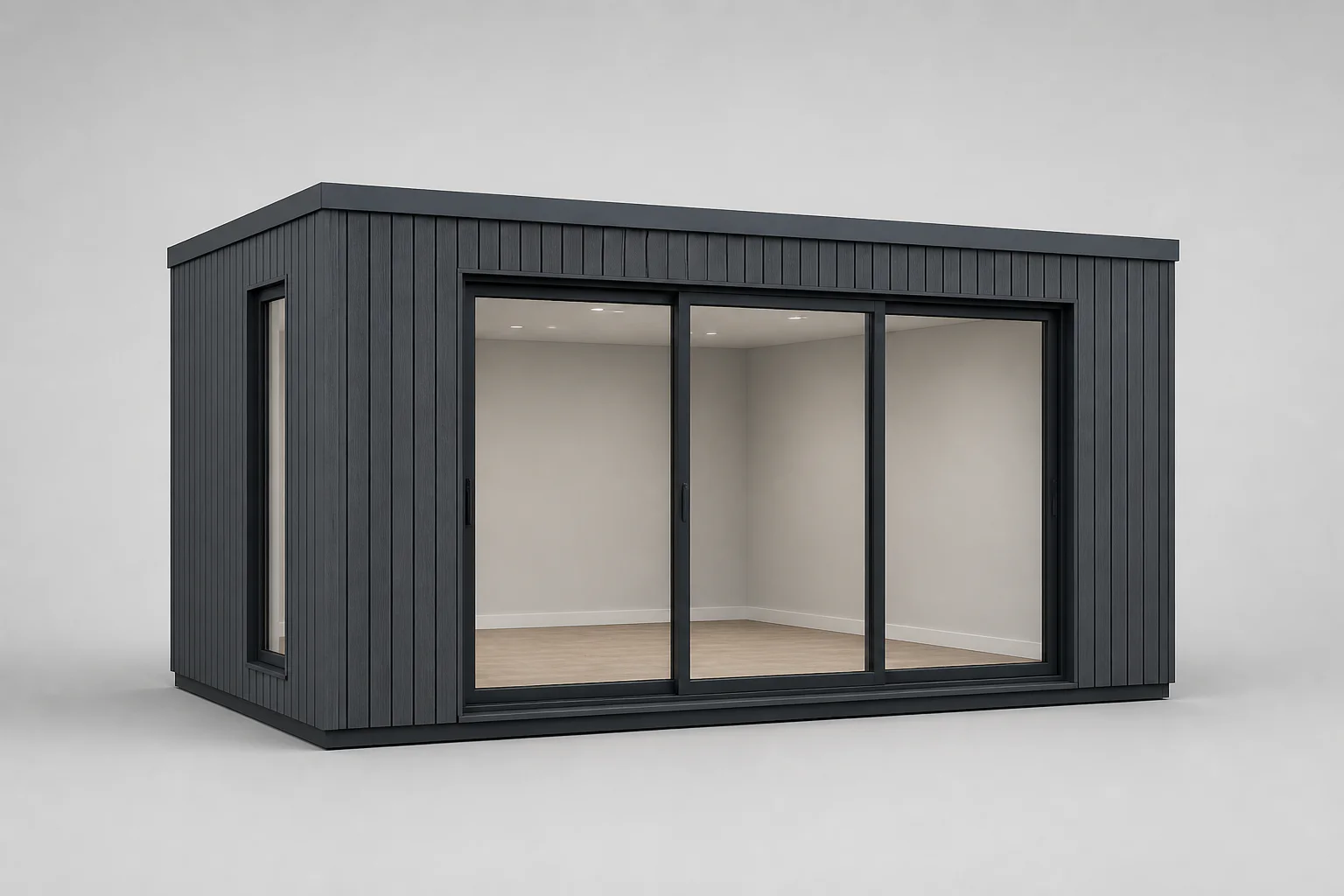 Garden studio · Configured project
Dealer project
Configuration status
Commercial rules applied
Clear definition
What a B2B product configurator controls.
A B2B product configurator helps a business buyer or channel partner define a permitted product from a governed catalogue. Unlike a public colour customizer, it can use the signed-in account, market and role to decide which product families, dimensions, options, prices and actions are available.
The configuration may happen in a dealer portal, salesperson workspace, customer website or ecommerce journey. The interface can change, but the product rules and project identity remain connected. A dealer can configure a made-to-measure product in 3D, use its assigned price context, prepare a branded proposal and continue to approval or order without sending the entire project back to head office for re-entry.
Configurix supports this direct and channel model for manufacturers, suppliers, distributors, retailers, showrooms, installers and other businesses selling configurable products. The platform is not limited to one organizational structure or product category.
B2B platform architecture
Six layers connect product governance to partner selling.
The portal screen is only the surface. A dependable channel workflow also needs catalogue ownership, authorization, commercial logic and downstream data.
Central product catalogue
Control product families, dimensions, materials, accessories, compatibility and market availability once, then publish the permitted view to each channel.
Account and role context
Identify the company, branch, salesperson, dealer, market and permission set before deciding which products, prices and actions appear.
Guided 3D configuration
Let each authorized user define a permitted variant while the interactive product and structured specification respond to the same choices.
Commercial rules
Apply account price lists, quantity or formula calculations, taxes, margin visibility, discount permissions and approval thresholds.
Quote and order workflow
Create the document or next action allowed for the role: customer proposal, quote request, approval, saved basket or configured order.
Connected project data
Preserve account, customer, configuration, revision, price, document and status fields for CRM, ERP, ecommerce or project handoff.
Role architecture
One platform does not mean one view.
Every role receives the catalogue, commercial detail and actions needed for its responsibility. Sensitive values and controls require real authorization, not visual hiding.
Product owner or manufacturer
Controls how approved products and commercial structures reach direct sales and channel partners without distributing disconnected spreadsheets and PDFs.
Catalogue governance, market availability, rule ownership and network visibility
Distributor or master dealer
Can represent one or multiple product ranges, maintain its permitted commercial context and support downstream dealers or branches.
Assigned brands, territories, price lists, sub-accounts and consolidated projects
Dealer administrator
Manages how the dealer organization uses the catalogue while product and sensitive commercial governance remain controlled by the platform owner.
Company users, locations, templates, price visibility and approved permissions
Dealer salesperson
Works with the buyer in a showroom, on site or remotely and continues the same saved product instead of requesting every calculation from head office.
Customer projects, guided configuration, allowed pricing, revisions and quotes
B2B buyer or end customer
Can self-serve within a public, authenticated or dealer-assisted journey without receiving internal costs, margin or controls.
Customer-safe products, guided choices and an approved purchase or enquiry action
Sales operations and fulfilment
Receives a recognizable project record for review, order processing, scheduling or optional operational handoff.
Approved configuration, customer context, quote, order status and scoped output
Pricing permissions
Show the right commercial context to the right person.
This example matrix illustrates questions to resolve. The final permissions must follow your account structure, legal entities, contracts and market rules.
| Commercial information | Customer | Dealer salesperson | Dealer admin | Product owner |
|---|---|---|---|---|
| Public list or starting price | Optional | Optional | Optional | No |
| Account-specific sell price | No | Yes | Yes | Optional |
| Dealer buy price | No | Optional | Optional | Yes |
| Margin or markup | No | Optional | Optional | Yes |
| Manual discount | No | By permission | By permission | Governed |
| Approval threshold | No | May trigger | May trigger | Configures |
| Tax and currency context | Market | Account/market | Account/market | Governed |
Channel models
Designed for more than one manufacturer model.
Configurix can adapt to the organization that owns the catalogue, the partner who sells it and the team responsible for delivery or installation.
Manufacturer with dealer network
The product owner governs systems, options and commercial structures. Dealers configure and quote within assigned products, markets and price permissions.
Distributor with multiple brands
A distributor can present several catalogues while keeping brand-specific product logic, documents and order destinations separate.
Retail or showroom group
Locations share approved products and customer journeys while branch, region, salesperson and price context remain attributable.
Installer or franchise network
Installers combine guided products with customer, measurement, survey, quote and project steps appropriate for each territory or account.
International sales organization
Languages, units, currencies, taxes, catalogues, documents and permissions can be governed by market rather than copied into unrelated systems.
Hybrid direct and channel sales
Public self-service, internal sales and partner portals can use the same product foundation while commercial visibility and next actions differ.
Partner workflow
From account context to configured order.
Some businesses stop at quote request; others allow direct configured orders. The same governed project can support either journey when the permissions and acceptance rules are explicit.
Sign in or identify context
Resolve the account before showing the commercial experience
Account, role, market, branch and salesperson can determine the assigned catalogue, price visibility, language, documents and allowed actions.
Choose a product family
Start from products the account is permitted to sell
The user receives a governed range—not a universal catalogue that relies on later manual correction for territory, brand or market restrictions.
Configure
Create a valid made-to-order product
Dimensions, layouts, components, finishes and accessories follow product rules. The 3D scene and structured specification remain connected.
Calculate
Apply the correct account and market rules
Price lists, formulas, quantities, taxes, delivery, installation, margin context and discount permissions use the current account and revision.
Quote or order
Create the next output permitted for the role
A salesperson may send a customer proposal, a dealer may request approval, or an authenticated buyer may place a configured order depending on the implemented workflow.
Track and hand off
Keep both sides of the channel on the same project
Status, revision, documents and agreed downstream fields continue to the responsible sales, operations, ERP or project team.
Configured order data
Keep the channel and product record together.
A dealer order is more than a total. It needs enough commercial, configuration and lifecycle context for the receiving team to understand exactly what was accepted.
Commercial identity
Account, dealer, branch, salesperson, customer, market, currency and tax context
Configuration identity
Project ID, product family, revision, selected options, dimensions and visual snapshot
Price and approval
Price list, calculated value, discount, margin visibility, approval status and quote reference
Order context
Requested quantity, delivery, installation, site or shipping details and customer acceptance
Operational output
Approved SKUs, components, quantities, BOM or scoped project fields where implemented
Lifecycle status
Draft, review, quoted, accepted, ordered, scheduled, delivered, installed or other governed states
Tool comparison
B2B ecommerce, dealer portal or visual CPQ?
These systems can work together. Choose the product-definition and commercial capability required before deciding whether it lives inside, beside or behind an existing portal or commerce platform.
| Question | B2B ecommerce | Dealer portal | B2B visual CPQ |
|---|---|---|---|
| Primary job | Publish products and accept online orders | Give partners authenticated access to account information and transactions | Define a valid configured product, calculate its commercial result and continue to quote or order |
| Product complexity | Strong for standard SKUs and conventional variants | Depends on the connected catalogue and ordering tool | Designed for option-rich, rule-driven and made-to-measure products |
| Account pricing | B2B commerce feature or extension | Often central to the portal | Connected to the configured product, role, market and approval rules |
| 3D configuration | Plugin, embed or separate application | May link to another tool | Can be a first-class part of the product and commercial record |
| Best fit | Repeat purchasing and transactional catalogues | Account service, documents, invoices and ordering access | Complex products where partners must configure before they can price, quote or order |
Channel governance
Decide who controls every changing part.
A dealer platform remains reliable when product, price, account, document and exception ownership are defined after launch—not only during implementation.
Catalogue ownership
Name the source of truth for products, options, dimensions, media and market availability.
Price ownership
Define who publishes each list, formula, tier, tax and discount permission—and when changes take effect.
Account lifecycle
Control invitation, activation, role assignment, territory, suspension and access review.
Document governance
Approve brand, seller identity, terms, price visibility, language and revision behavior for every output.
Change testing
Retest geometry, compatibility, pricing and downstream output when a change affects more than content.
Exception ownership
Route non-standard configurations, commercial overrides and failed handoffs to named people.
Data retention
Define which customer, project, configuration, price and activity data is retained and who can access it.
Support model
Set responsibilities for dealer onboarding, catalogue questions, incidents and future product work.
Measurement
Measure partner adoption and handoff quality.
Define events and a baseline before rollout. Then compare equivalent accounts, products and periods instead of attributing every commercial change to the portal.
Partner activation
Invited accounts that activate, add users and complete the first defined product or quote action.
Self-served configurations
Projects completed by dealers or buyers without head-office product or price re-entry.
Quote turnaround
Elapsed time from a complete product brief to a customer-ready or approved proposal.
Approval exceptions
Projects requiring review because of discounts, product boundaries or non-standard commercial conditions.
Order handoff quality
Configured orders returned for missing fields, incompatible selections, price correction or account clarification.
Catalogue adoption
Active products, options and accessories across accounts, markets, branches and sales roles.
B2B configurator FAQ
Detailed answers for product owners and channel teams.
Use these questions to compare dealer portals, B2B commerce and visual CPQ without assuming that login, pricing and product configuration are the same capability.
Continue your planning
Go deeper into the layer your network needs.
Product pricing engine
Define account price lists, calculation order, margins, discounts, approvals, markets and traceable quote revisions.
Read the guideTrailer dealer configurator
Plan assigned trailer ranges, account pricing, margin permissions, quote revisions and configured-order handoff.
Read the guideConfigurator integrations
Define account, catalogue, price, quote, order and production-data contracts across systems.
Read the guideSSO and identity integration
Plan dealer federation, tenant resolution, user provisioning, roles, sessions and cross-account authorization tests.
Read the guideCompare configurator software
Test product rules, account pricing, roles, quotes, integrations and maintenance consistently.
Read the guideVisual CPQ software
3D configuration, calculations, quotes, approvals and project data.
Read the guideGuided selling software
Guide customers, salespeople and dealers from buyer context to a valid product and useful project record.
Read the guideSelf-service product configurator
Plan public, customer, dealer and sales journeys with governed choices, role pricing and persistent handoff.
Read the guideSales configurator software
Support internal sales, showrooms, field teams and dealers with one governed project workflow.
Read the guideWhite-label configurator
Brand, domains, roles, regional catalogues and platform ownership.
Read the guideProduct configurator software
The complete catalogue, rules, 3D, pricing and output category.
Read the guideConfigurator for websites
Public journeys, embedding, analytics and structured lead capture.
Read the guideCustom CPQ system
Complex product, commercial and integration requirements.
Read the guideCost and ROI guide
Implementation scope, total cost and a calculator using your baseline.
Read the guideBring one product and one dealer scenario.
Show us the assigned catalogue, account price example, current quote, approval rule and order handoff behind one representative partner. We will map the smallest complete B2B workflow.
Plan your B2B configurator